 FlectonePulse
/toponline
Command to view the top players by playtime
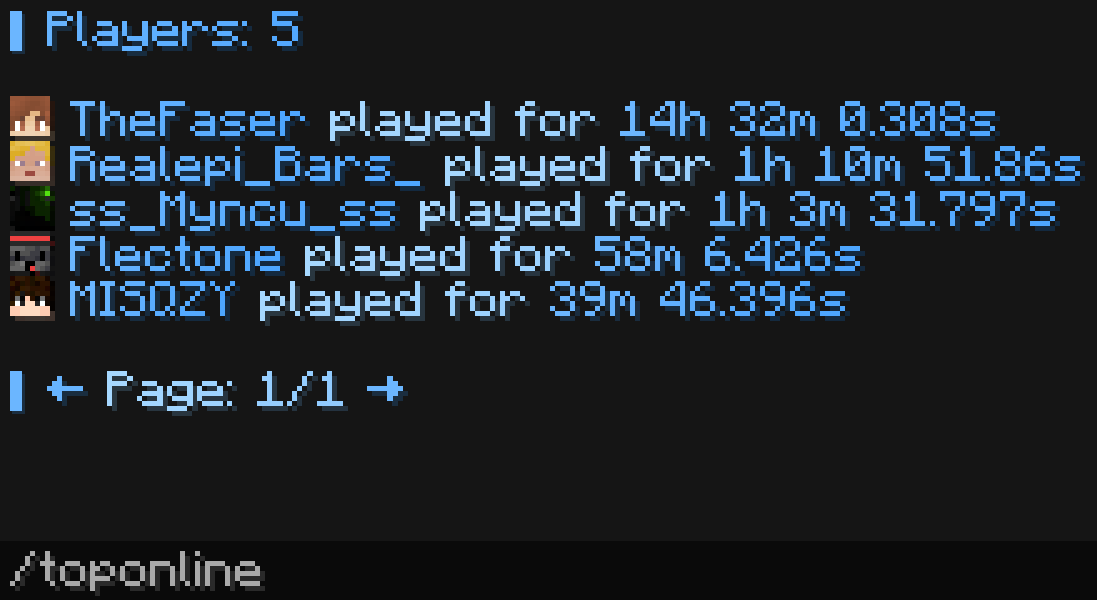
In any message, you can use the <toponline:position> placeholder to get the formatted name of the player at that position by playtime. For example, <toponline:1> returns the top player by playtime.
Localization
Pathlocalizations → language.yml → command.toponline
toponline:
  null_page: "<color:#ff7171><sprite_or:⁉:gui:icon/chat_modified>This page doesn't exist"
  header: "<fcolor:2>▋ Players: <count> <br>"
  line: "<fcolor:2><time_player> <fcolor:1>played for <fcolor:2><time>"
  footer: "<br><fcolor:2>▋ <click:run_command:\"<command> <prev_page>\">←</click> <fcolor:1>Page: <current_page>/<last_page> <fcolor:2><click:run_command:\"<command> <next_page>\">→"
null_page
Message if the entered page does not exist
header
Top part of the list message
line
Format of each entry in the list
footer
Bottom part of the list message
Setting
Pathcommand.yml → toponline
toponline:
  enable: true
  per_page: 10
  aliases:
  - "toponline"
  cooldown:
    enable: false
  sound:
    enable: false
enable
Enables or disables the functionality of the module
per_page
The number of components per page
aliases
A list of aliases for using the command
Information
Aliases can be anything. For example newcommand, newcommand_ru, ban, me etc.
cooldown
Usage delay
sound
Sound playback
Permissions
Pathpermission.yml → command.toponline
toponline:
  name: "flectonepulse.module.command.toponline"
  type: "TRUE"
  cooldown_bypass:
    name: "flectonepulse.module.command.toponline.cooldown.bypass"
    type: "OP"
  sound:
    name: "flectonepulse.module.command.toponline.sound"
    type: "TRUE"
name
Permission name
type
Permission type
| Type | Explanation |
|---|---|
TRUE | Available to any player |
FALSE | Available to no one, must be granted separately (e.g., using LuckPerms) |
OP | Available to server operators |
NOT_OP | Available to NON-operators of the server |
cooldown_bypass
Permission to ignore the cooldown between uses
sound
Permission to use the sound
Last update July 21, 2026
Edit on Github