 FlectonePulse
/emit
Command to use any `destination` with text
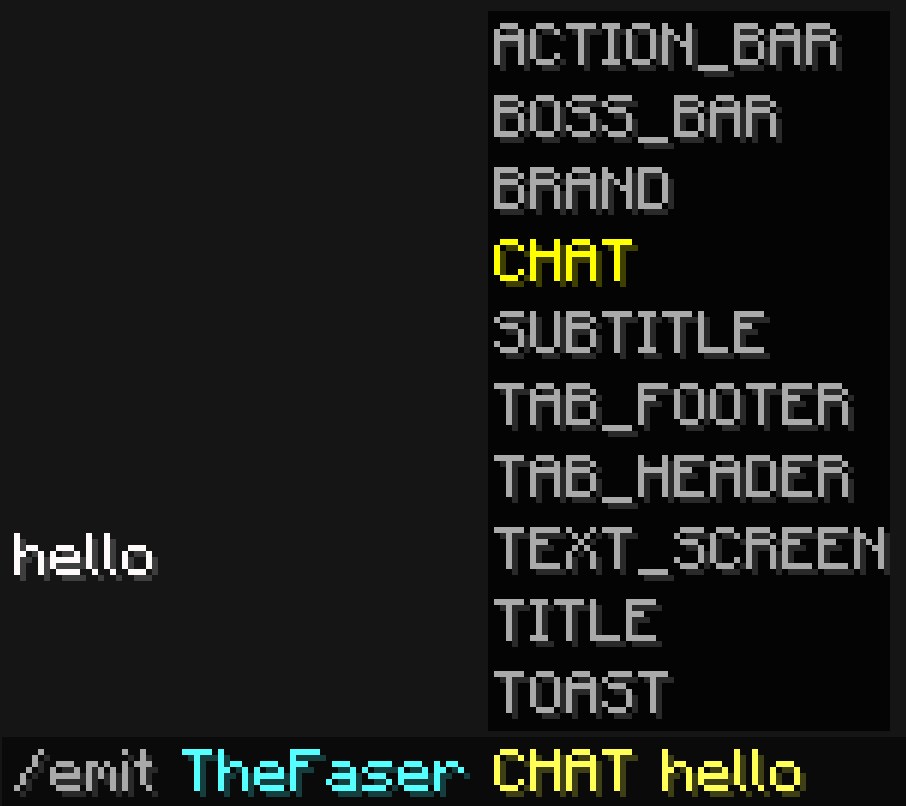
The command is available by default only to server admins and is created specifically for them. It should not be given to regular players. This command can be used through the console, another plugin, or a datapack, which is convenient if you want to use tools from FlectonePulse (any placeholders and tags will also work).
To display text to all players at once, you can use all, for example /emit all CHAT hello world.
Some destination types have arguments that can be modified via {}.
These arguments are named exactly as they are in the configuration files.
Examples
/emit TheFaser ACTION_BAR{times={stay=40}} hello world/emit TheFaser BOSS_BAR{color=RED} hello world/emit TheFaser BRAND hello world/emit TheFaser CHAT hello world/emit TheFaser TITLE hello world/emit TheFaser SUBTITLE hello world/emit TheFaser TAB_FOOTER hello world/emit TheFaser TAB_HEADER hello world/emit TheFaser TEXT_SCREEN{offset_x=-0.3, offset_y=-0.2} hello world/emit TheFaser TOAST{icon="minecraft:iron_ingot", style=CHALLENGE} hello world
Arguments that are omitted will use default values and do not all need to be entered. If the destination is entered incorrectly, the message will be sent to the regular chat.
destination
Where the message will be sent
| Type | Explanation | Requires additional configuration? |
|---|---|---|
ACTION_BAR | Message above the player's inventory | Yes |
BOSS_BAR | Message at the top of the screen | Yes |
BRAND | Message in F3 | No |
CHAT | Message in chat | No |
TEXT_SCREEN | Message anywhere on the screen | Yes |
TITLE | Full-screen message | Yes |
SUBTITLE | Full-screen message (bottom line) | Yes |
TAB_HEADER | Message in TAB (top) | No |
TAB_FOOTER | Message in TAB (bottom) | No |
TOAST | Message in the top right corner (achievement) | Yes |
Localization
Pathlocalizations → language.yml → command.emit
emit:
  null_player: "<color:#ff7171><sprite_or:⁉:gui:icon/chat_modified>This player does not exist"
  format: "<fcolor:4><message>"
null_player
Message if the entered player is not found
format
The format of the message that will be sent
Setting
Pathcommand.yml → emit
emit:
  enable: true
  aliases:
  - "emit"
  cooldown:
    enable: false
  sound:
    enable: false
enable
Enables or disables the functionality of the module
aliases
A list of aliases for using the command
Aliases can be anything. For example newcommand, newcommand_ru, ban, me etc.
cooldown
Usage delay
sound
Sound playback
Permissions
Pathpermission.yml → command.emit
emit:
  name: "flectonepulse.module.command.emit"
  type: "OP"
  cooldown_bypass:
    name: "flectonepulse.module.command.emit.cooldown.bypass"
    type: "OP"
  sound:
    name: "flectonepulse.module.command.emit.sound"
    type: "TRUE"
name
Permission name
type
Permission type
| Type | Explanation |
|---|---|
TRUE | Available to any player |
FALSE | Available to no one, must be granted separately (e.g., using LuckPerms) |
OP | Available to server operators |
NOT_OP | Available to NON-operators of the server |
cooldown_bypass
Permission to ignore the cooldown between uses
sound
Permission to use the sound
