 FlectonePulse
FAQs
Frequently Asked Questions (FAQ) about FlectonePulse
What is FlectonePulse and what is it for?
FlectonePulse is a Minecraft server plugin that allows full customization of messages, chat, commands, and integrations. It provides a flexible text formatting system, automatic player language detection, and integrations with Discord, Telegram, and Twitch
| Platform | Versions |
|---|---|
| Bukkit / Spigot / Paper / Purpur / Folia | 1.8.8 up to the latest |
| Fabric | Latest Minecraft version |
| NeoForge | Latest Minecraft version |
| BungeeCord / Waterfall | Latest version |
| Velocity | Latest version |
Java 17 or higher is required. Older Minecraft versions, such as 1.8.8, can also run on Java 17 (check PandaSpigot)
There is also a version for Hytale, it has its own documentation because some modules work differently there
How to install FlectonePulse?
Download the plugin from Modrinth
Place the plugin file into your server's plugins folder
Restart the server
Configure the settings in the files
Download the mod from Modrinth
Place the mod file into your server's mods folder (for Fabric you also need Fabric-API)
Restart the server
Configure the settings in the files
| File | Documentation Link | Explanation |
|---|---|---|
config.yml | Configuration | The main configuration of FlectonePulse, essential for correct operation. Database, plugin language, proxy mode, etc., are configured here. |
command.yml | Commands | Configuration of all custom commands. They can be used by typing /flectonepulse:name in Minecraft. |
integration.yml | Integrations | Configuration of interactions with external plugins and services. |
message.yml | Messages | Configuration of FlectonePulse messages (conditions for their appearance and content). Not to be confused with message format settings, which are done in /localizations/... files. |
localizations/... | Specified in each section of command and message documentation | This folder contains files with settings for each player language (see language). The message format (i.e., text) is configured here. |
permission.yml | Specified in each section of command, message, and integration documentation | Access rights configuration. By default, permissions are set so that most functions are available to all players without additional configuration. |
How to configure message formatting?
FlectonePulse has a universal text formatting system that supports different color formats – from classic codes to modern gradients.
| Input Color | Converts to |
|---|---|
&0-&9, &a-&f | <black>, <dark_blue> ... <white> |
&l/&m/&n/&o/&k/&r | <b> / <st> / <u> / <i> / <obf> / <reset> |
&#rrggbb, #rrggbb, &x&r&r&g&g&b&b, <##rrggbb> | <#rrggbb> |
| MiniMessage Tags | <color:#rrggbb>, <rainbow>, <click:...>, <font>, etc. |
For flexibility, you can use & or § interchangeably.
welcome-message: "<gradient:#FF0000:#00FF00>&lHello</gradient> <rainbow><player></rainbow>!"
Can certain plugin features be disabled?
Yes, FlectonePulse uses a modular system. Any feature (commands, messages, or integrations) can be disabled in command.yml, message.yml, or integration.yml respectively. After making changes, reload the plugin with /flectonepulse reload.
Every module depends on the parent above it. If message.enable is disabled, all messages inside are disabled too, even if they have enable: true. More details in the configuration
How does automatic language detection work?
If the by_player option is enabled in config.yml, the plugin automatically detects the player's Minecraft language and displays messages from the localizations/... folder in that language. If the localization is unavailable, the default language from the configuration is used. Details in the localization documentation.
What integrations does FlectonePulse support?
The plugin integrates with Discord, Telegram, and Twitch, allowing players to communicate across platforms. Third-party Minecraft plugins are supported too, for example LuckPerms and Vault for permissions and groups, PlaceholderAPI and MiniPlaceholders for placeholders, SkinsRestorer for skins, PlasmoVoice and SimpleVoice to stop muted players from talking, LiteBans, LibertyBans, AdvancedBan and CMI for moderation. Integrations are configured in integration.yml. Details in the integrations documentation.
Why do commands or messages not work for regular players?
Most likely it is about permissions. All permissions are in permission.yml, each one has a name (the permission itself) and a type (who has it by default).
If LuckPerms has the * false rule (all permissions are disabled and given manually), permissions with type: "TRUE" stop working too. There is the always_have_true setting in integration.yml for this
To give a permission to a specific group, take the name of the permission from permission.yml and grant it, for example /lp group default permission set flectonepulse.module.command.me true
A message does not appear, what should I check?
Whether the module itself and its parent are enabled in message.yml or command.yml (enable: true)
Whether the player has the module's permission from permission.yml
Whether the range fits, for example with range: 100 only nearby players see the message
Whether the line in the localization file is not empty, because an empty message is not sent
Reload the plugin with /flectonepulse reload and look at the console
How to send messages from Minecraft to Discord or Telegram?
Put the bot token into integration.yml, enable the integration and add the message type to message_channel, where the value is the channel ID
message_channel:
  MESSAGE_CHAT_GLOBAL:
    - "123456"
  COMMAND_BAN:
    - "123456"
Message type names match module names, for example COMMAND_BAN or MESSAGE_CHAT_GLOBAL. For your own chat named admin it will be MESSAGE_CHAT_ADMIN
Why are heads, sprites and textures not displayed in chat?
The object module only works for players on version 1.21.9 and above. Everyone else sees the plain symbol from default_symbol instead of a head or an icon
Why are chat messages duplicated?
Most often it is another plugin that also sends the message. Check cancel of the chat in message.yml – with cancel: false FlectonePulse does not cancel the event, so the message can be sent by the server and by another plugin.
Duplication also happens with plugins that modify chat packets (for example InteractiveChat) or with DiscordSRV if it has its own Webhook messages enabled. Details in the chat
How to move all settings to another server?
There are ready commands for this
On the first server write /flectonepulse export, this creates a .zip archive in the FlectonePulse folder
Move this archive to the FlectonePulse folder on the other server
Write /flectonepulse import archive_name, after which the plugin reloads with the new settings
Details in the command documentation

Can configs be edited outside of the files?
Yes, there is a web editor for that. Put host and port into command.yml, then write /flectonepulse editor and open the returned link
What happens to the configs when the plugin updates?
FlectonePulse adds new settings and carries over old values itself, so there is no need to delete the configs. Before that, a copy of the old files and of the database is created in the FlectonePulse/backups/old_version folder
Do not change version in config.yml manually, the plugin uses it to know which version to migrate the settings from
Does FlectonePulse support PlaceholderAPI?
Yes, FlectonePulse is fully compatible with PlaceholderAPI and MiniPlaceholders. Use placeholders in messages.
FlectonePulse adds its own placeholders too, for example %flectonepulse_ping% or %flectonepulse_online_total_formatted%. The full list is in the PlaceholderAPI and MiniPlaceholders documentation

How to use the /chatsetting command?
Type /chatsetting in chat to configure the chat and related features (for example color, style, notifications).
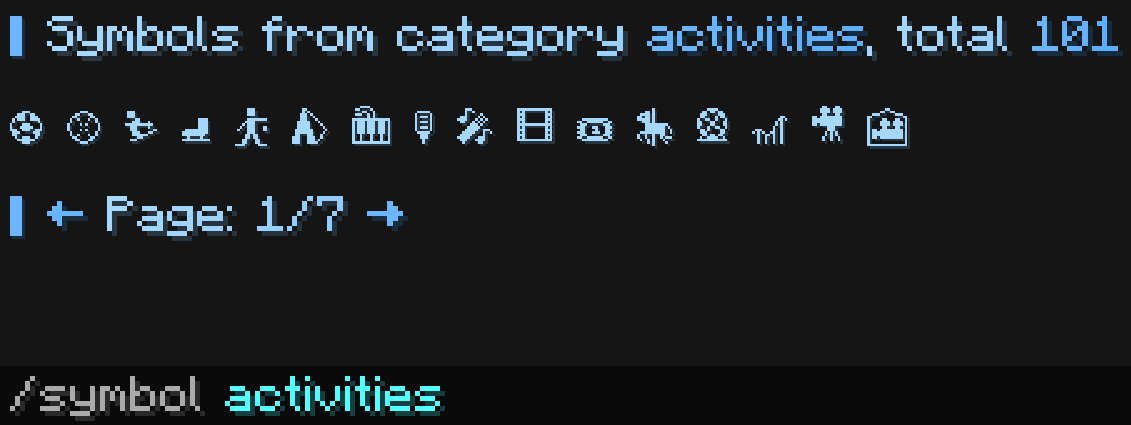
How to use the /symbol command?
Type /symbol in chat to search for and use Unicode emojis.
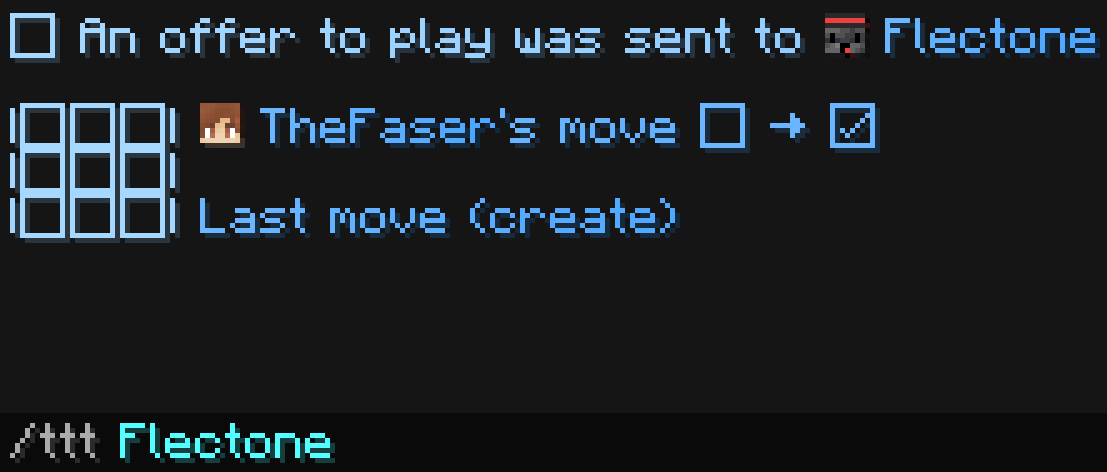
Is there support for chat mini-games?
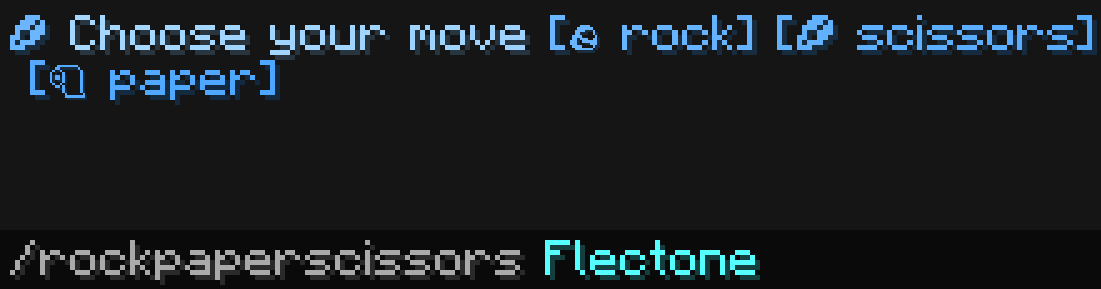
Yes, players can use built-in mini-games such as tic-tac-toe or rock-paper-scissors.
How is FlectonePulse different from FlectoneChat?
FlectonePulse is a new project, not an improved version of FlectoneChat. FlectoneChat was an experiment, while FlectonePulse was created with past mistakes in mind, offering more features and customization.
How to enable the name display above a player?
Enable the name_visible setting in message.yml:
scoreboard:
  enable: true
  name_visible: false
  name_distance: -1.0
  player_collisions: true
  hide_name_when_sneaking: false
  color: "<white>"
  ticker:
    enable: false
After the change, run /flectonepulse reload. Details in the settings documentation.
How to configure the player name display?
The player name (display) is configured in the localizations/... file:
names:
  constant: []
  display:
  - "<click:suggest_command:\"/msg <player> \"><hover:show_text:\"<fcolor:2>Write to <white><player_head_or:''></white><nickname>\"><white><player_head_or:''></white><prefix><stream><fcolor:2><nickname><afk><suffix><reset>"
  entity: "<fcolor:2><hover:show_text:\"<fcolor:2><name> <br><fcolor:1>Type <fcolor:2><lang:'<type>'> <br><fcolor:1>ID <fcolor:2><uuid>\"><sprite_or:'':gui:icon/accessibility><name></hover>"
  unknown: "<fcolor:2><name>"
  console: "<white><player_head_or:'':Console></white><click:suggest_command:\"/msg <name> \"><hover:show_text:\"<fcolor:2>Write to <white><player_head_or:'':Console></white>Console\"><fcolor:2>Console"
  invisible: "<fcolor:2>👻 Invisible"
After the changes, run /flectonepulse reload. Details in the localization documentation.
How to configure colors in messages and the interface?
Colors are configured in message.yml with the fcolor module:
fcolor:
  enable: true
  default_colors:
    1: "<gradient:#A6D8FF:#8CC8FF>"
    2: "<gradient:#6BB6FF:#4DA6FF>"
    3: "#A9A9A9"
    4: "#FFFAFA"
Here the default colors are set, used if the player has not chosen their own in /chatsetting or /chatcolor. You can also forbid changing colors in those commands. Details in the formatting guide.
It is easier to change 4 colors here than to replace <fcolor:...> everywhere in the plugin settings.
How to configure the TAB (player list)?
To enable/disable TAB modules, configure message.yml:
tab:
  enable: true
  header:
    enable: true
  footer:
    enable: true
  playerlistname:
    enable: true
To change the messages, edit the localizations/... file:
tab:
  header:
    lists:
    - - " "
      - "<fcolor:1>👾"
      - " "
    - - " "
      - "<fcolor:1>❤"
      - " "
  footer:
    lists:
    - - " "
      - "<fcolor:1>Hello <fcolor:2><nickname><fcolor:1>!"
      - " "
    - - " "
      - "<fcolor:1>TPS <replacement:tps>, Online <replacement:online>"
      - " "
  playerlistname:
format: "<!shadow><white><player_head></white></!shadow><world>▋ <reset><prefix><stream><fcolor:2><nickname><afk><mute><suffix>"To sort the TAB by donation groups, enable tab_sort.
After the changes, run /flectonepulse reload. Details in the TAB documentation.
What to do if errors occur?
Check the server console for errors
Make sure you are using the latest version of the plugin
Write /flectonepulse dump, this command collects information about the server and the plugin and returns a link, which is convenient to send to support
Send the error and the link to the Discord community or get personal technical support for boosters on Boosty
If the server does not start and the log is cut off, run it with the -Dflectonepulse.debug=true flag, then there will be more information in the console
How to contact the developers?
Join the Discord community for support and suggestions. Leave a star on GitHub or a review on SpigotMC.
When will a new version of FlectonePulse with support for the latest Minecraft version be released?
Most likely FlectonePulse already supports the newest Minecraft version. Experimental builds are available on GitHub or in the Discord channel for testers. If a Minecraft version is already out but the FlectonePulse update is missing, it is because of waiting for the PacketEvents release – the main library FlectonePulse uses to work with the server. As soon as PacketEvents is released, FlectonePulse will be updated.
Use test builds at your own risk. These builds are usually not made for production, they can be broken or break your previous FlectonePulse version
Does FlectonePulse work with a proxy and how to set it up?
FlectonePulse supports proxy servers, including BungeeCord and Velocity. The same plugin file must be installed both on the proxy and on the servers. Configuration files are not created on the proxy – it acts as a bridge. All settings are made in the files on the servers. A server database (MySQL, MariaDB or PostgreSQL) is required and must be configured in config.yml on the servers. You also need to enable either the velocity or the bungeecord mode, details in the configuration documentation.
Instead of BungeeCord and Velocity, Redis can be used to link the servers, then the servers do not even need a shared proxy
Does FlectonePulse support cores that run both mods and plugins, such as Arclight or Mohist?
FlectonePulse has not been tested on cores that support both mods and plugins (such as Arclight or Mohist), and it is not intended to support them, but it may work. The main issue is the PacketEvents library, as with Fabirc/NeoForge, where some mods may create their own protocols or modify existing ones, causing players to crash
The separate Fabric and NeoForge builds only work on the very latest Minecraft version because of how hard multi-version support is
My plugin that uses chat is incompatible with FlectonePulse?
By default FlectonePulse uses mode: "BUKKIT" for chats, with it other plugins also see chat messages
In rare cases, if your plugin uses Paper listeners, you need to set mode: "PAPER". And mode: "PACKET" on the contrary takes the chat over completely through PacketEvents, with it other plugins do not see the messages
If the plugin still conflicts, try changing the chat priority, for example to HIGHEST, so that FlectonePulse modifies the message last
