 FlectonePulse
Server Link
Clickable server links in the in-game menu for each player
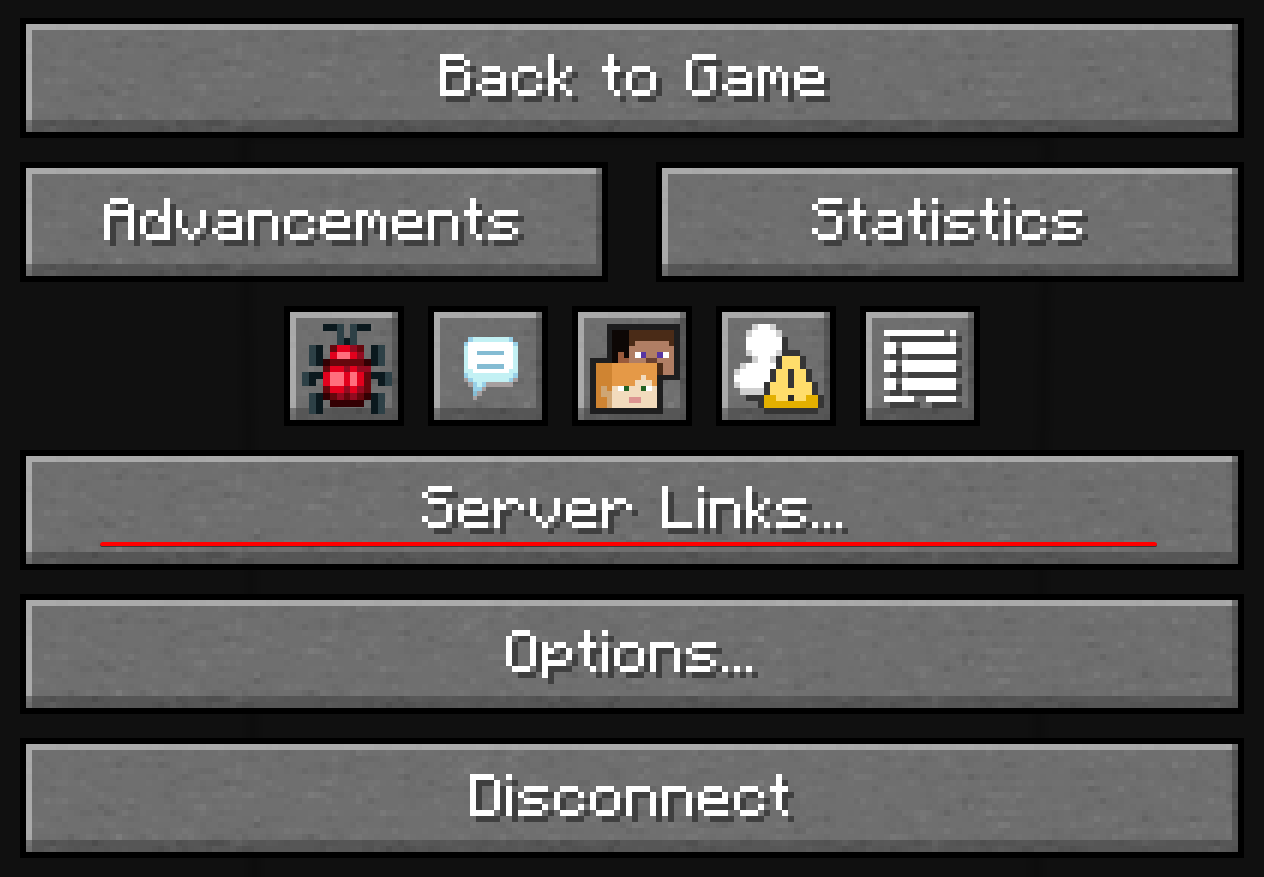
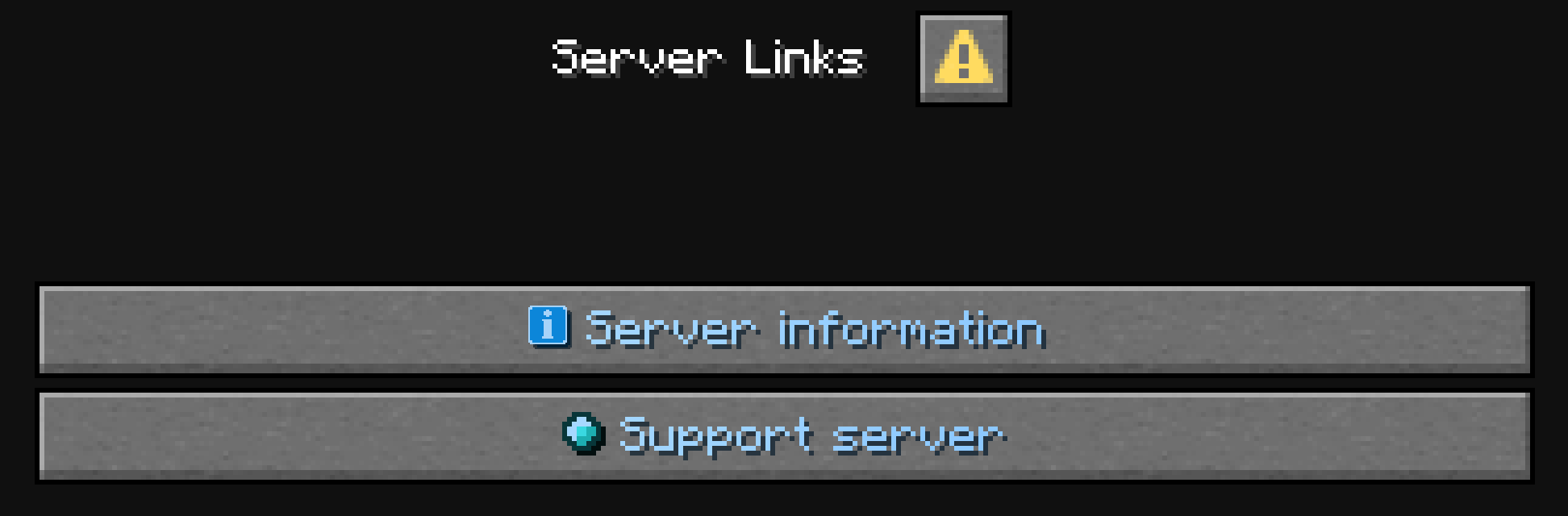
Warning
This only works for versions 1.21 and newer
Information
How to add your own link?
In message.yml add the name and the link itself to serverlink.values
values:
  discord: "https://discord.flectone.net"
In localizations → language.yml add the button text to message.serverlink.values. If it is not added, the link itself is shown
values:
  discord: "<fcolor:2>Our discord"
Reload FlectonePulse with /flectonepulse reload and open the pause menu
Localization
Pathlocalizations → language.yml → message.serverlink
serverlink:
  values:
    example1: "<fcolor:1><sprite_or:\"[!]\":gui:icon/info>Server information"
    example2: "<fcolor:1><sprite_or:\"[+]\":gui:icon/trial_available>Support server"
values
A list of links and their messages that will be displayed. If no localization is specified, the link itself will be displayed
Setting
Pathmessage.yml → serverlink
serverlink:
  enable: false
  values:
    example1: "https://flectone.net/pulse"
    example2: "https://boosty.to/thefaser"
  ticker:
    enable: true
    period: 100
enable
Enables or disables the functionality of the module
values
A list of link names and their values. The value must be a valid link, otherwise it will not be displayed
ticker
Updating every specific interval of time
Permissions
Pathpermission.yml → message.serverlink
serverlink:
  name: "flectonepulse.module.message.serverlink"
  type: "TRUE"
name
Permission name
type
Permission type
| Type | Explanation |
|---|---|
TRUE | Available to any player |
FALSE | Available to no one, must be granted separately (e.g., using LuckPerms) |
OP | Available to server operators |
NOT_OP | Available to NON-operators of the server |
Last update August 14, 2026
Edit on Github