 FlectonePulse
Sidebar
Messages on the right side of the screen
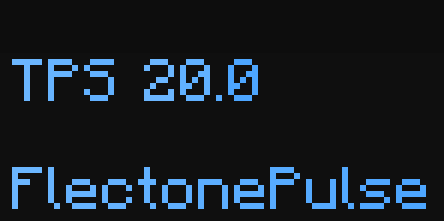
The condition tag <condition:name> works in sidebar messages
Localization
Pathlocalizations → language.yml → message.sidebar
sidebar:
  values:
  - - " "
    - "<fcolor:1>Ping <replacement:ping>"
    - " "
    - "<fcolor:1>FlectonePulse"
  - - " "
    - "<fcolor:2>TPS <replacement:tps>"
    - " "
    - "<fcolor:2>FlectonePulse"
values
List of messages, where - - separates different formats. Each format can be written as a single line or as a list of lines
Setting
Pathmessage.yml → sidebar
sidebar:
  enable: false
  random: true
  width: 250
  height: 300
  top: 300
  right: 5
  label_top: 0
  label_left: 4
  background: "#1E1E1E60"
  ticker:
    enable: true
    period: 100
enable
Enables or disables the functionality of the module
random
If enabled, messages will be selected randomly; otherwise, they will be selected in order.
width
Attention
Not supported in Minecraft
height
Attention
Not supported in Minecraft
top
Attention
Not supported in Minecraft
right
Attention
Not supported in Minecraft
label_top
Attention
Not supported in Minecraft
label_left
Attention
Not supported in Minecraft
background
Attention
Not supported in Minecraft
ticker
Updating every specific interval of time
Permissions
Pathpermission.yml → message.sidebar
sidebar:
  name: "flectonepulse.module.message.sidebar"
  type: "TRUE"
name
Permission name
type
Permission type
| Type | Explanation |
|---|---|
TRUE | Available to any player |
FALSE | Available to no one, must be granted separately (e.g., using LuckPerms) |
OP | Available to server operators |
NOT_OP | Available to NON-operators of the server |
Last update September 4, 2026
Edit on Github